Causabi is a free website check for AI
See if ChatGPT can read your site.
Enter your URL — see your AI score and what stops AI bots from reading your site.
bloom-coffee.com
PoorAI reads only part of this site.
- robots.txt blocks GPTBot from the whole siteCritical
- No Schema.org — AI can’t tell what the business isImportant
- Prices and hours only appear after JavaScript runsImportant
- FAQ isn’t marked up as questions and answersImportant
Example report.
How it works
You see a website. AI sees something else.

What a person sees
A lovely page.
Menu, prices, opening hours, a booking button. Everything a visitor needs — assembled by scripts right in the browser.

Slow coffee, all day.
Latte — $4.50
Open daily 8:00–22:00
 Cappuccino$4
 Croissant$3.50
What an AI reads
An empty shell.
Some AI crawlers read only the HTML the server returns. They get bare HTML, a robots.txt that may shut them out, and no hint of what the business is.
GET / → 200 · 2.1 KB
<body>
<div id="root"></div>
<script src="/app.3f9c.js"></script>
</body>
robots.txt
User-agent: GPTBot
Disallow: /
Business type
not found
Prices
not found
Hours
not found
After Causabi
Facts a machine can read.
Schema.org markup, an FAQ block, llms.txt and a robots.txt that lets AI bots in. Generated from your own pages.
schema.jsonld
{
"@context": "https://schema.org",
"@type": "CafeOrCoffeeShop",
"name": "Bloom Coffee",
"openingHours": "Mo-Su 08:00-22:00",
"priceRange": "$$"
}
robots.txt
User-agent: GPTBot
Allow: /
llms.txt
# Bloom Coffee
> Coffee shop, 8:00–22:00
8%
of Google visits with an AI summary include a click on a result link, vs 15% without one
Pew Research Center, July 2025, 900 US adults
4
AI engines in monitoring reports: ChatGPT, Gemini, Grok, Claude
90 s
roughly how long a check takes, no sign-up
What you get
The files that make your site readable for AI.
Ready to install.
Let AI bots in.
Some sites block GPTBot or ClaudeBot without the owner knowing. We write the robots.txt lines that open the door — nothing else changes.
robots.txt
User-agent: GPTBot
Disallow: /
User-agent: GPTBot
User-agent: ClaudeBot
User-agent: Google-Extended
Allow: /
Say what you are.
Schema.org markup built from your pages: business type, address, hours, prices.
schema.jsonld
{
"@context": "https://schema.org",
"@type": "CafeOrCoffeeShop",
"name": "Bloom Coffee",
"openingHours": "Mo-Su 08:00-22:00"
}
Answers, as answers.
An FAQ block marked up so machines read it as questions and answers.
A short summary for AI.
llms.txt: one page on what your business does, for AI agents. A supporting file; it does not guarantee mentions.
llms.txt
# Bloom Coffee
> Specialty coffee shop
## Menu
Photos, described.
Alt text for every image, so a model knows what’s in the picture.
alt=
"Latte with latte art in a white cup on a light wooden table"
One ZIP. Or one plugin.
Upload the files yourself, hand them to your developer, or install the WordPress plugin. The files pack is one ZIP: up to five files and a README, $19 once per site. No time? The hosted AI profile on causabi.com works right away.
bloom-coffee_geo.zip
├─ schema.jsonld
├─ faq-block.html
├─ llms.txt
├─ robots.txt
├─ alt-texts.csv
└─ README.txt
Product
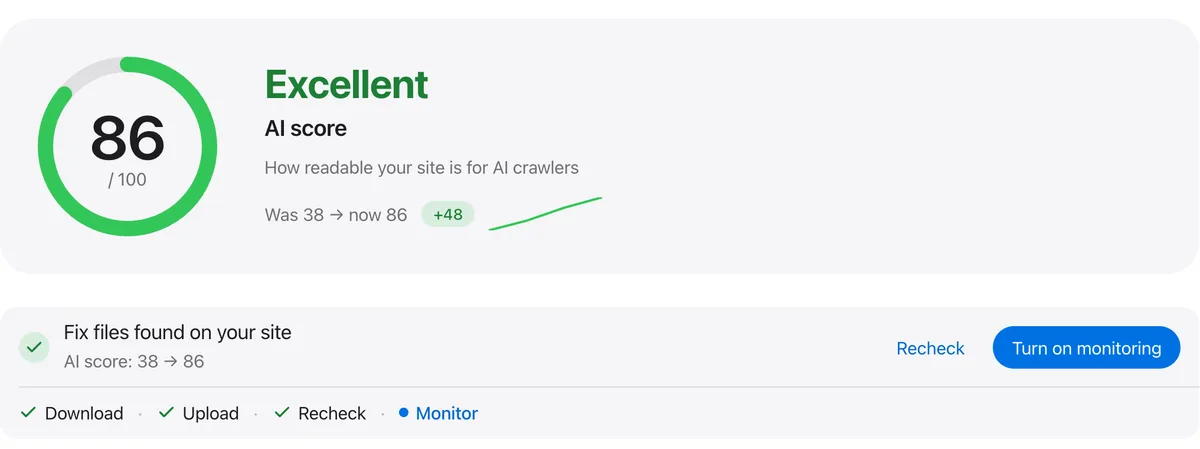
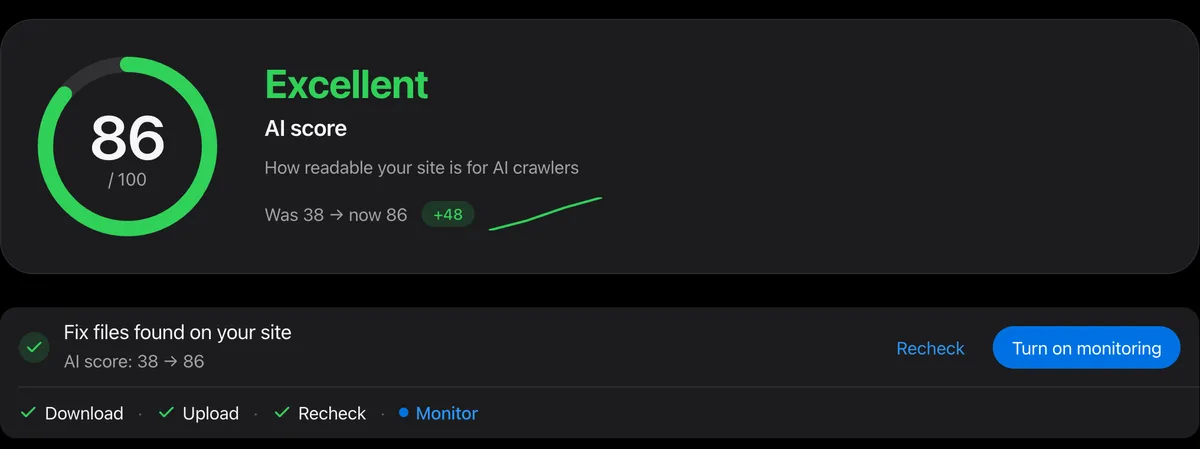
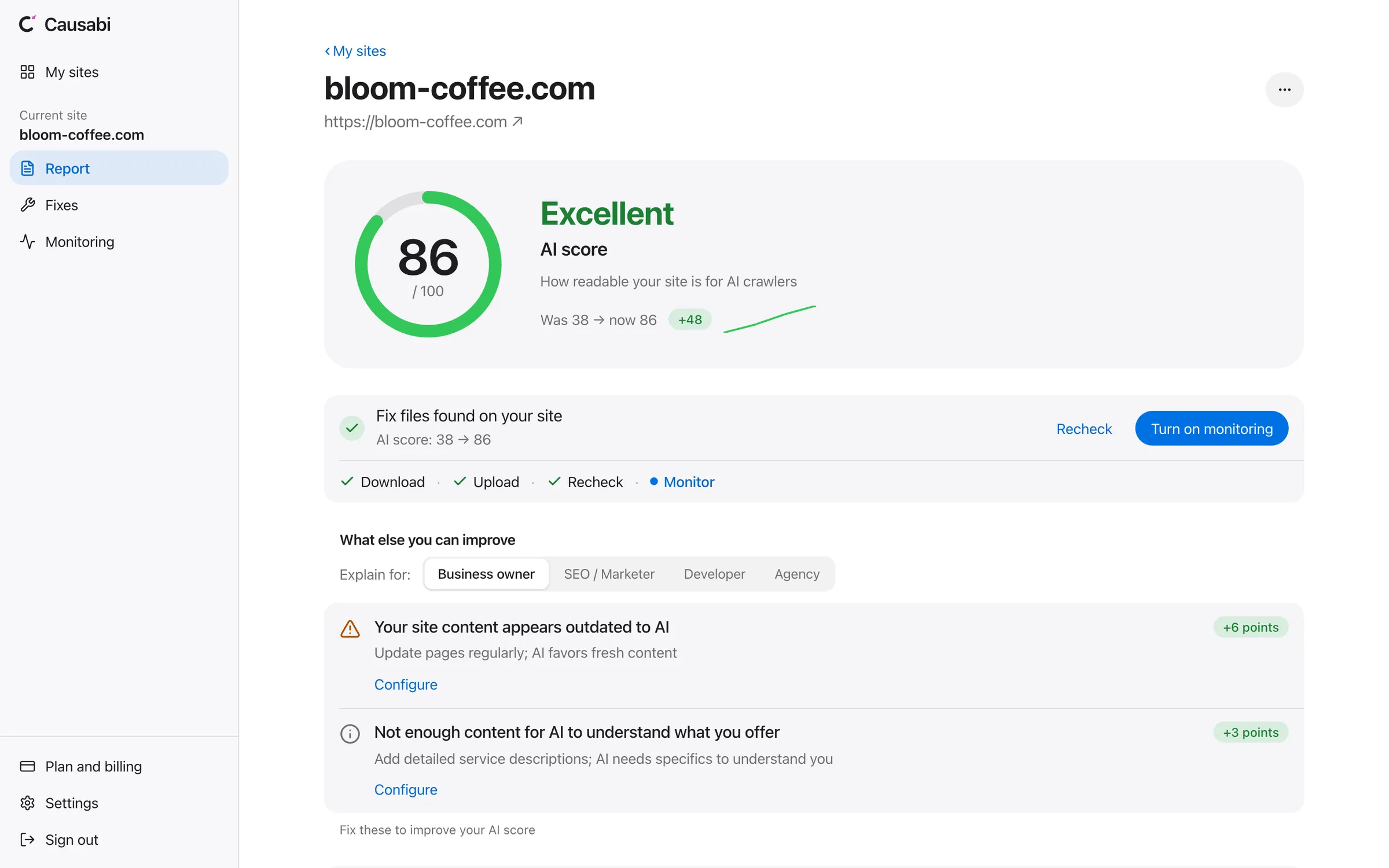
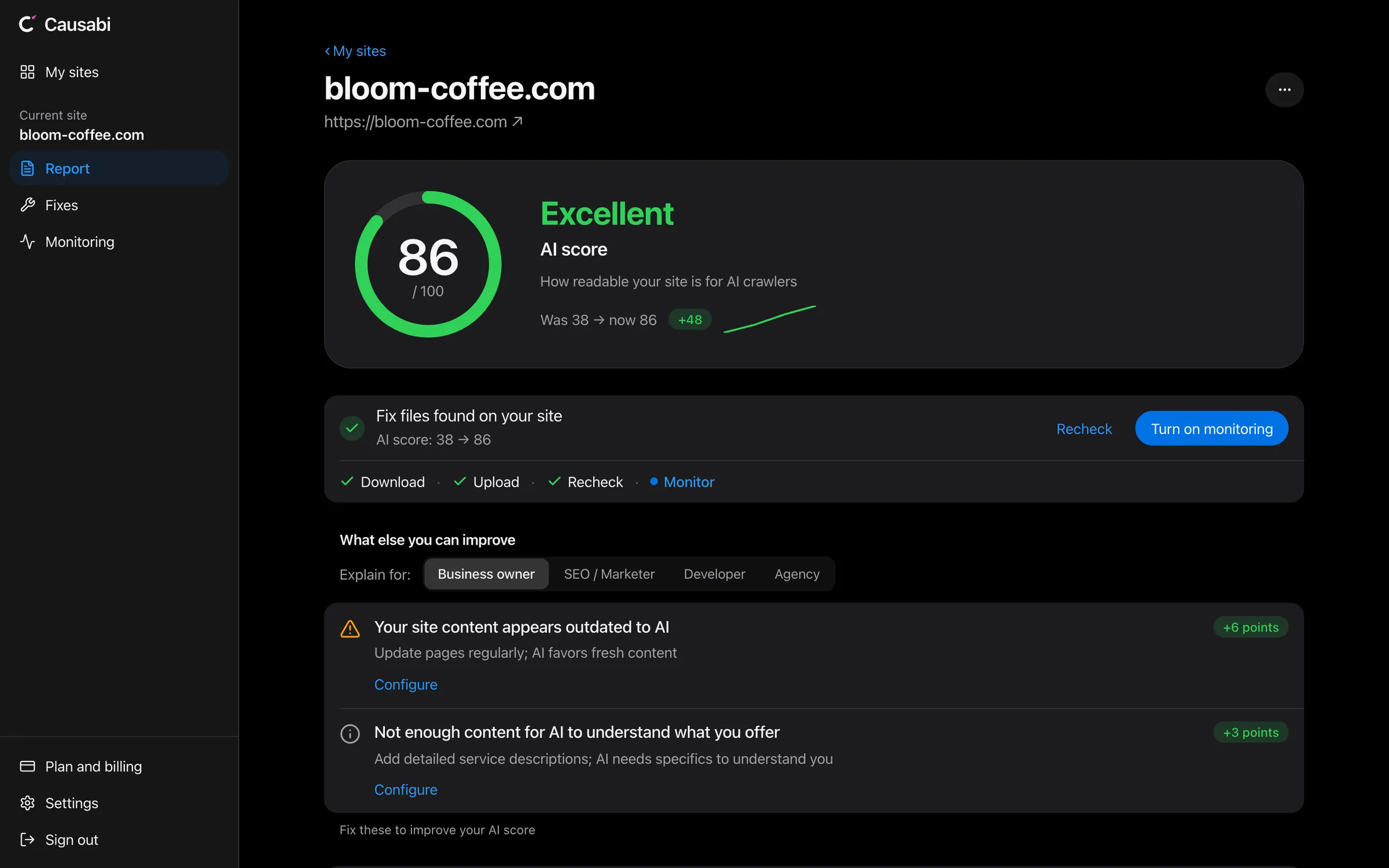
This is the report.
AI score, plain-language issues and a preview of the files, in one window.
Sample data.
Monitoring
See whether AI names you, every week.
We ask ChatGPT, Gemini, Grok and Claude your customers’ questions and turn the answers into a report: your position, the trend, and who appears next to you.
| Query | ChatGPT | Gemini | Grok | Claude |
|---|---|---|---|---|
| best coffee shop near me | #2▲ | #1– | — | #3▲ |
| where to get a flat white downtown | — | #2▲ | #1– | — |
4
engines in every report
10
tracked queries on Starter
1
report a week on every paid plan
Starter plan: $20/mo
Pricing.
Paid plans start at $20.
Start free. Paid plans add weekly monitoring and more sites.
Free
- 1 site
- AI score
- List of issues in plain language
- Preview of the fix files: what each fixes, first lines with your data
- Public AI profile on causabi.com
Starter
Recommendedmonthly billing only
- Files pack and full check for 3 sites
- Weekly report on 10 queries
- No keys of your own needed — runs on ours
- 4 engines per report: ChatGPT, Gemini, Grok, Claude (ChatGPT connects within 24 hours after payment)
- Key queries dashboard
- Email after every report
Pro
For SEO specialists- 10 sites
- Full check and regular reports
- Report every 3 days on 8 queries
- Full query analytics and trends
- API access
- Priority support
Agency
For agencies- 25 sites
- Everything in Pro
- 50 queries per site, report every 3 days
- Multi-client dashboard
- Client reports (white-label — on request)
- Your own Gemini and OpenAI keys, added in Settings
- Personal onboarding
The report and the files,
in one place.
Monitoring shows whether you are mentioned. Causabi writes the files that make your site readable.
| Feature | Causabi | Otterly | Profound | By hand |
|---|---|---|---|---|
| Entry price | Free / $20/mo | $29/mo | Free trial; Enterprise on request | $0 |
| AI engines covered * | 4 (ChatGPT, Gemini, Grok, Claude) | 4 + paid add-ons | 3 to 9 | — |
| Ready-made files (schema, robots.txt, llms.txt) | ✓ | — | — | — |
| WordPress plugin | ✓ | — | — | — |
| Open source CLI (MIT) | ✓ | — | — | — |
| Free to start | Free plan, no card | 7-day trial | Free trial | — |
* Causabi queries each model through its official API (OpenAI Responses API, Gemini API, Grok API, Anthropic API).
Competitor data comes from each vendor’s public pricing page, checked 11 October 2026. A dash means the page does not mention it. Prices and features may change.
Frequently asked questions
What is GEO, and what does “readable for AI” mean?
GEO (generative engine optimization) is preparing your site for AI search: ChatGPT, Gemini, Claude, Grok. According to Pew Research Center (July 2025, 900 US adults), in visits to Google that showed an AI summary, users clicked a result link in 8% of visits, against 15% without one. Whether AI can read your site — what you do, where you are, what it costs — depends on the site itself, and you can check it.
Does it work with Shopify?
Yes. Enter your Shopify store’s URL to get the check and a preview of the files; the files themselves (schema.jsonld, robots.txt, llms.txt and more) are in the files pack. Add them through theme templates: Online Store › Themes › Edit code. The AI profile hosted on causabi.com works right away, with no changes to your store.
Does it work with WordPress?
Yes. The Causabi GEO Optimizer plugin is on WordPress.org. The free version checks robots.txt, shows the AI score and adds Schema.org markup to the homepage. Site-wide markup, llms.txt, the robots.txt patch and the weekly refresh are in the plugin’s paid tier, included in the Starter plan.
What’s free and what’s paid?
Free: the check, AI score, list of issues, a preview of the files (names, what each one fixes, the first lines with your data) and a public AI profile. Paid: the files themselves, as the files pack ($19 once per site) or any paid plan. In the WordPress plugin only part is free: the check and homepage markup.
How much does Causabi cost?
Free is free with no time limit: 1 site, AI score, list of issues, a preview of the files and a public AI profile. The files pack is $19 once per site. Starter is $20 a month: 3 sites with files and a weekly report on 10 queries across ChatGPT, Gemini, Grok and Claude (ChatGPT connects within 24 hours after payment). Pro is $49 a month: 10 sites, a report every 3 days on 8 queries, full analytics. Agency is $99 a month: everything in Pro, 25 sites, 50 queries per site and a multi-client dashboard.
Do you need access to my CMS or server?
No, the URL is enough. After payment you download a ZIP with the files and upload them yourself, or use the AI profile hosted on causabi.com.
What exactly does Causabi add to my site?
The files pack: schema.jsonld (markup for your business type, only fields found on your pages), faq-block.html (questions and answers with markup; every answer cites its source page), llms.txt (a map of your real pages; a supporting file that does little on its own), robots.txt (your current file plus an AI bot policy), alt-texts.csv (alt text for images that have none; if there are none, the file is left out) and a README with steps for your platform. Everything comes in one ZIP: upload it yourself or hand it to your developer. The preview is free; the files themselves come after payment. The profile on causabi.com needs no changes on your site.
Does it work with a custom site (Next.js, Django, your own hosting)?
Yes. Causabi works with any site by URL, with no access to code or CMS. After payment you get a ZIP of ready-made files and drop them in your site root (/public for Next.js, the static root for Django). The AI profile on causabi.com works right away, with no server changes.
How is the AI score calculated?
The AI score is a number from 0 to 100, a sum of weighted factors: (1) bot access — whether robots.txt lets AI crawlers in: search bots (OAI-SearchBot, Claude-SearchBot), training bots (GPTBot, ClaudeBot) and agent bots (ChatGPT-User, Claude-User); (2) content quality — specifics (prices, facts), confident wording without “maybe” and “usually”, structure; (3) freshness — visible dates and dateModified; (4) an FAQ block; (5) Schema.org markup — it names your business, but doesn’t guarantee citations on its own; (6) llms.txt — a small bonus. Scale: 85–100 excellent, 70–84 good, 40–69 partly readable, 0–39 poor.
Will the generated robots.txt overwrite my existing one?
No. The finished file is built from your current robots.txt: your rules (Disallow: /admin/, Disallow: /staging/ and so on) stay, with an AI bot block added. The pack also holds that block on its own, so you can append it to the end of your file instead.
Can I see competitors in AI answers?
Yes, on paid plans. For each tracked query the report shows whether your business is mentioned, at what position, and which competitors appear nearby.
How soon will AI bots notice the changes?
It depends on how often each bot visits your site, so we can’t give a date. We don’t promise to get you into AI answers: Causabi makes your site readable for AI, and whether AI mentions you is up to AI.
Does the free check ask ChatGPT?
No. The free check reads your site the way AI crawlers do: robots.txt, markup and page text. It does not query ChatGPT, Gemini, Grok or Claude. That is what paid monitoring does.
How do the AI answer reports work?
Once a week we send each of your queries to ChatGPT, Gemini, Grok and Claude through their official APIs. The report shows whether your business is mentioned, at what position and which competitors are nearby; history and trends are in your dashboard.
Is Causabi open source?
Yes, the core (the causabi-geo CLI) is on PyPI under the MIT license. Run pip install causabi-geo and run the check and generate the files locally, with no sign-up.
Didn’t find your question? Write to us: founders@causabi.com
Updated: